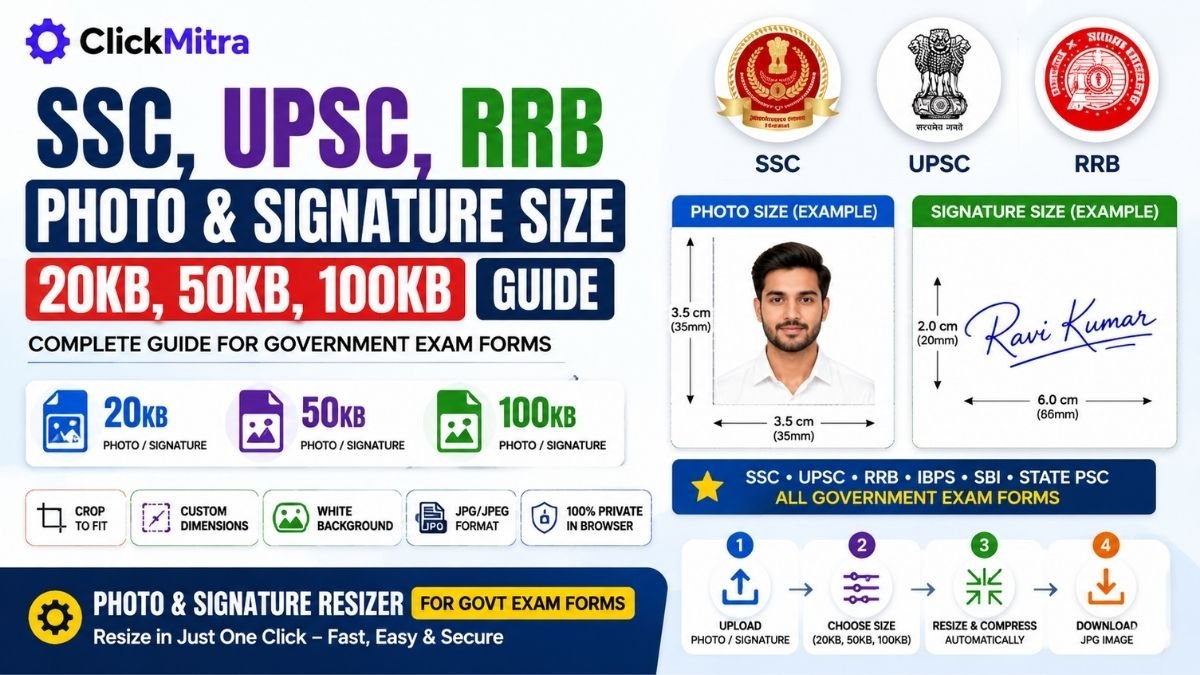
SSC, UPSC, RRB Photo & Signature Size: 20KB, 50KB, 100KB Guide
Learn the common SSC, UPSC and RRB photo and signature size requirements and how to resize images to 20KB, 50KB and 100KB for government exam forms.
Filling a government exam form can become frustrating when your photo and signature size does not match the application requirements. SSC, UPSC, RRB, IBPS, SBI and State PSC forms may ask for specific file sizes, dimensions and formats.
If you are looking for SSC Photo & Signature Size, UPSC Photo & Signature Size or RRB Photo & Signature Size, this guide explains how to prepare your files and resize them to common limits such as 20KB, 50KB and 100KB.
The exact requirements can vary by examination and notification, so always check the latest official instructions before submitting your application.
SSC Photo & Signature Size
The SSC Photo & Signature Size requirements depend on the particular SSC examination and its current application instructions.
Before uploading an SSC photograph or signature, check the notification for:
- Maximum or permitted file size
- Photo dimensions
- Signature dimensions
- Required image format
- Background requirements
- Any specific photograph instructions
If the application specifies a maximum size such as 20KB, 50KB or 100KB, the final file must comply with that requirement.
SSC Photo Size
The SSC photo size can include both a file-size requirement and specific pixel dimensions. Simply reducing the image to a particular number of KB may not be enough.
If you are searching for photo size for SSC, check the current SSC notification first and then resize your photograph according to those specifications.
SSC Signature Size
The SSC signature size can also have separate requirements from the photograph. Your signature may need to meet a particular file-size range and dimension.
If you need to resize signature for SSC, crop unnecessary empty space and then adjust the image to the required KB and pixel dimensions.
UPSC Photo & Signature Size
The UPSC Photo & Signature Size requirements can vary according to the examination and application process.
If you are preparing an image for UPSC, check the current examination instructions for:
- UPSC photo size
- UPSC signature size
- Maximum file size
- Required dimensions
- File format
- Photograph and signature instructions
UPSC Photo Size
The UPSC photo size is not determined by KB alone. The application may specify both file size and image dimensions.
Anyone searching for photo size for UPSC should therefore check the latest UPSC instructions before preparing the final image.
UPSC Signature Size
The UPSC signature size may have its own file-size and dimension requirements.
If you need to resize signature for UPSC, prepare a clear signature image, crop excess space and then resize it according to the current application instructions.
RRB Photo & Signature Size
The RRB Photo & Signature Size requirements depend on the specific Railway Recruitment Board recruitment notification.
Before uploading your files, check the latest instructions for:
- RRB photo size
- RRB signature size
- File-size limits
- Pixel dimensions
- JPG/JPEG requirements
- Background and image-quality requirements
RRB Photo Size
The RRB photo size may include both a maximum file size and specific dimensions.
If you are searching for photo size for RRB, don't rely only on a generic KB limit. Follow the requirements given for your particular RRB application.
RRB Signature Size
The RRB signature size can be different from the photograph requirements.
For signature size for RRB, check the current recruitment instructions and then resize the signature to the required KB and dimensions.
20KB, 50KB and 100KB Photo Size
Applicants commonly need to prepare photographs in different file-size limits. Some forms may ask for a 20KB photo, while others may allow a 50KB photo or 100KB photo.
Here are the common targets:
| Target | Typical purpose |
|---|---|
| 20KB | Small image-size requirements |
| 50KB | Common application image limit |
| 100KB | Larger photograph/file-size limit |
These are only target sizes. The exact requirement for your examination should always come from its current application instructions.
20KB, 50KB and 100KB Signature Size
Signatures are usually much smaller than photographs, so applicants may encounter requirements such as:
- 20KB signature
- 50KB signature
- 100KB signature
If your application specifies a maximum file size, the safest approach is to create an image that stays below the stated limit while remaining clear and readable.
How to Resize Photo to 20KB
If your application requires a 20KB photo, you can resize the image using a browser-based photo resizer.
The basic process is:
- Upload your photograph.
- Select the 20KB option.
- Crop the image if necessary.
- Set the required dimensions.
- Let the tool automatically adjust compression.
- Download the resulting JPG/JPEG.
- Check the final file size and dimensions.
This makes photo resize for government exams much quicker than manually changing JPEG quality.
How to Resize Photo to 50KB
To create a 50KB photo, upload your photograph and select the 50KB target.
The tool can automatically adjust JPEG compression to reduce the file size while attempting to preserve usable image quality.
After downloading, compare the final image with the requirements in your exam form.
How to Resize Photo to 100KB
If your application allows a 100KB photo, select the 100KB target after uploading the photograph.
You should still verify the final pixel dimensions and image format because a 100KB file is not automatically compliant with every government exam form.
How to Resize Signature to 20KB
For a 20KB signature, upload a clear signature image and select the 20KB target.
Cropping unnecessary white space before compression can help create a smaller file while keeping the signature readable.
How to Resize Signature to 50KB
If the form specifies a 50KB signature, choose the 50KB option and let the image resizer adjust the compression.
Always check the final dimensions and file format against the application instructions.
How to Resize Signature to 100KB
For a 100KB signature, select the 100KB target. The resulting file should then be checked against the specific maximum-size and dimension requirements of the exam.
Photo & Signature Resizer for Govt Exams
ClickMitra's Photo & Signature Resizer for Govt Exam Forms is designed for applicants who need to prepare images for online examination forms.
The tool provides quick file-size options:
10KB | 20KB | 30KB | 50KB | 100KB
Instead of manually experimenting with JPEG quality, select the required target and let the tool automatically resize and compress the image.
It also supports:
- Photo resizing
- Signature resizing
- Custom KB target
- Custom pixel dimensions
- Crop to fit
- White background
- JPG/JPEG conversion
- SSC preset
- UPSC preset
- RRB preset
- IBPS/SBI preset
- State PSC preset
The processing takes place in the browser, making it useful when you want to resize a photo or signature without uploading the file to a server.
How to Resize Photo for Government Exams
The easiest workflow for photo resize for government exams is:
Upload → Crop → Select dimensions → Select KB → Resize → Download
For example, if your form requires a photograph under 50KB, choose 50KB and then verify that the resulting image meets the application's other requirements.
The same approach can be used for signature resize for government exams.
JPG and JPEG for Government Exam Forms
Many application portals require photographs and signatures in JPG or JPEG format.
JPG and JPEG are commonly used names for the same image format. However, always follow the exact format and file-extension instructions shown by the particular exam application.
If your original image is PNG, you can convert it to JPG before uploading it when the application requires JPEG.
Why Is My Government Exam Photo Being Rejected?
A photo can be rejected even when its KB size appears correct.
Common reasons include:
- Incorrect pixel dimensions
- Unsupported file format
- File size outside the permitted range
- Poor image quality
- Incorrect background
- Excessive cropping
- Incorrect signature dimensions
- Requirements that differ from the current notification
Therefore, government exam photo size should always be checked together with dimensions, format and other image instructions.
SSC, UPSC and RRB Photo & Signature Size Checklist
Before uploading your files, check:
- Is the photograph correct?
- Is the signature correct?
- Is the file JPG/JPEG if required?
- Is the file within the required KB limit?
- Are the pixel dimensions correct?
- Is the background acceptable?
- Is the photograph clear?
- Is the signature readable?
- Does everything match the latest official notification?
A file being below 20KB, 50KB or 100KB does not automatically mean it satisfies every requirement.
Frequently Asked Questions
What is SSC Photo & Signature Size?
SSC Photo & Signature Size requirements vary by examination. Check the current SSC notification for the permitted file size, dimensions, format and photograph instructions.
What is the SSC photo size?
The SSC photo size depends on the particular examination and its current application instructions. Check both the required KB limit and pixel dimensions before uploading.
What is the SSC signature size?
The SSC signature size can have separate KB and dimension requirements. Check the latest SSC application instructions before preparing your signature.
What is UPSC Photo & Signature Size?
UPSC Photo & Signature Size requirements depend on the examination and current application process. Always follow the specifications in the relevant UPSC notification.
What is the UPSC photo size?
The UPSC photo size can include requirements for both file size and pixel dimensions. Check the current application instructions for the exact specification.
What is the UPSC signature size?
The UPSC signature size depends on the current examination requirements. Check the official instructions for the permitted file size and dimensions.
What is RRB Photo & Signature Size?
RRB Photo & Signature Size requirements vary according to the recruitment notification. Check the latest RRB instructions before uploading the photograph or signature.
What is the RRB photo size?
The RRB photo size may include a maximum file size, specific dimensions and format requirements. Follow the requirements for your particular RRB application.
What is the RRB signature size?
The RRB signature size depends on the current recruitment instructions. Check the specified KB limit, dimensions and format before uploading.
How do I resize a photo to 20KB?
Upload the photograph to a photo resizer and select 20KB. The tool can automatically adjust JPEG compression to reduce the image to the selected file-size target.
How do I resize a photo to 50KB?
Upload your image and select 50KB. After processing, download the resized JPG/JPEG and verify its size and dimensions against your exam requirements.
How do I resize a photo to 100KB?
Select the 100KB target after uploading your photograph. The tool automatically adjusts the compression to produce a file within the selected target.
How do I resize a signature to 20KB?
Upload your signature, crop unnecessary space if required and select 20KB. Then check that the final signature remains clear and meets the required dimensions.
Can I resize a signature to 50KB?
Yes. Select the 50KB target in the photo and signature resizer. The resulting file should then be checked against the application's requirements.
Can I resize a signature to 100KB?
Yes. A 100KB signature can be created by selecting the 100KB target, but you should still verify the required dimensions and format.
Can I resize government exam photos on mobile?
Yes. A browser-based photo and signature resizer can be used on modern Android and iPhone browsers without installing separate software.
Can I resize photo and signature files without uploading them?
With a browser-based tool that performs local processing, your image can be processed directly on your device. ClickMitra's Photo & Signature Resizer for Govt Exam Forms is designed for browser-based processing.
What is the best photo size for government exams?
There is no single universal government exam photo size. SSC, UPSC, RRB, IBPS, SBI and State PSC applications can have different requirements. Always follow the latest instructions for the specific examination.
What is the best signature size for government exams?
There is no universal government exam signature size. Check the current examination instructions for the exact KB limit, dimensions and format.
Final Word
Whether you need an SSC photo size, UPSC photo size, RRB photo size, 20KB photo, 50KB photo, 100KB photo, or a specific signature size, the important thing is to match every requirement in the latest application instructions.
Use the Photo & Signature Resizer for Govt Exam Forms to quickly prepare your image, select the required KB target, and then verify the final file before uploading it to the examination portal.