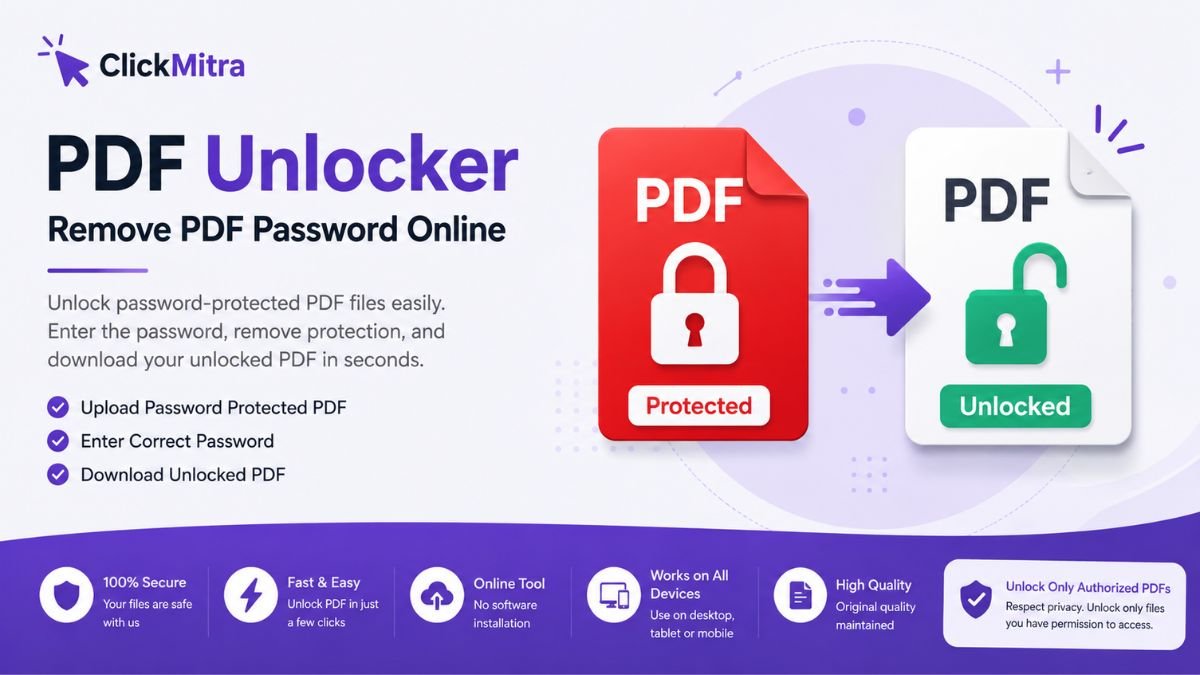
PDF Unlocker: Unlock Password-Protected PDF Files Online
Unlock password-protected PDF files easily with ClickMitra PDF Unlocker. Enter the known password, remove PDF protection, and download your unlocked PDF online.
PDF files are widely used for sharing documents because they preserve formatting and work across different devices. However, password protection can sometimes make a PDF difficult to access, edit, print, or share. If you have a PDF file and know its password, a PDF Unlocker can make the process much easier.
ClickMitra’s PDF Unlocker Online is designed to help users remove password protection from PDFs they are authorized to access. Instead of repeatedly entering the password whenever you open the document, you can unlock the PDF and create an accessible copy for your personal or professional use.
What Is a PDF Unlocker?
A PDF Unlocker is an online tool that helps remove password protection from a PDF document when the correct password is available. Password-protected PDFs are commonly used for confidential reports, invoices, forms, certificates, business documents, and personal files.
If you know the password of your PDF, you can use a PDF password remover to unlock the document. Once unlocked, the resulting PDF can generally be opened without entering the password again, making it easier to read, edit, print, or share, depending on the document's permissions.
ClickMitra provides a straightforward way to unlock PDF online without requiring complicated software or technical knowledge.
Why Do You Need to Unlock a PDF?
Password protection is useful for keeping documents secure, but it can become inconvenient when you already have permission to access the file. For example, you may have received a password-protected PDF from a colleague, downloaded an important document, or created a protected PDF yourself.
Entering the same password every time can be frustrating, especially when you frequently use the document.
A PDF Unlocker can be useful when you want to:
- Open a password-protected PDF more conveniently
- Remove a known PDF password
- Create an unlocked copy of your document
- Make a PDF easier to share with authorized users
- Avoid repeatedly entering the same password
- Work with your PDF without unnecessary access restrictions
The important point is that you should only unlock documents that you own or have permission to access.
How to Unlock a PDF Online with ClickMitra
Using an online PDF Unlocker can be much simpler than installing desktop software. The basic process is designed to take only a few steps.
First, open the ClickMitra PDF Unlocker tool and select the password-protected PDF you want to unlock. Upload the document to the tool and provide the correct password when requested.
The tool can then process the PDF and create an unlocked version. After the process is completed, you can download the unlocked PDF and use it according to your requirements.
The exact process may vary depending on the PDF and its type of protection, but the basic idea remains simple: upload your PDF, enter the known password, unlock the file, and download the result.
Can You Remove a PDF Password Without Knowing It?
A legitimate PDF password remover should not be confused with password cracking or bypassing security. If a PDF is encrypted with a password and you do not know the password, you should not attempt to bypass its security without authorization.
ClickMitra's PDF unlocking functionality is intended for situations where the user knows the password and has permission to access the document.
If you have forgotten the password, the safest approach is to contact the person or organization that created or provided the PDF and request the correct password or an unlocked copy.
This distinction is important because PDF security exists to protect the document and its contents from unauthorized access.
PDF Unlocker vs. PDF Password Cracker
The terms PDF Unlocker and PDF password cracker can sometimes be used interchangeably online, but they describe very different purposes.
A PDF Unlocker can be used when you already have the correct password and want to remove the protection from a document you are authorized to use.
Password cracking or bypassing attempts to gain access without the required credentials. That is not the purpose of a legitimate PDF unlocking tool.
For everyday users, there is usually no reason to bypass security. If you know the password, a proper unlock PDF online tool is the simpler and safer option.
Who Can Use a PDF Unlocker?
A PDF Unlocker Online tool can be useful for many types of users.
Students may receive password-protected study material, forms, certificates, or documents that they need to access regularly. Professionals may work with protected invoices, reports, presentations, contracts, or internal documents.
Small businesses can also use a PDF password remover when they need to prepare documents for authorized sharing or long-term storage.
The main benefit is convenience. Instead of dealing with password prompts every time, users can create an accessible copy when they have the necessary authorization.
Benefits of Using ClickMitra PDF Unlocker
ClickMitra aims to make common PDF tasks easier through simple browser-based tools. A PDF Unlocker Online can save time because users do not necessarily need to install dedicated PDF software just to remove a known password.
Some potential benefits include:
Simple process: Upload the PDF, provide the known password, and process the file.
Online access: You can use the tool through a web browser instead of installing additional software.
Convenience: Unlocking a document can make frequently used PDFs easier to access.
Useful for multiple users: Students, employees, freelancers, businesses, and everyday users can benefit from a straightforward PDF tool.
No technical expertise required: The process is designed for regular users rather than advanced computer users.
Is an Unlocked PDF Safe to Use?
The security of an unlocked PDF depends on the document and how it is handled after the password protection is removed. If the original document contains confidential information, you should continue to treat the unlocked copy carefully.
Do not upload documents that you are not authorized to process, and avoid sharing sensitive files with people who do not have permission to access them.
Before using any online PDF service, users should also review the service's privacy and file-handling policies, particularly when working with confidential business or personal documents.
Frequently Asked Questions About PDF Unlocker
What is a PDF Unlocker?
A PDF Unlocker is a tool that helps remove password protection from a PDF when the user has the correct password and authorization to access the document.
Can I unlock a PDF online?
Yes. You can use an online PDF Unlocker such as ClickMitra to unlock a password-protected PDF when you know the correct password.
Can I remove a PDF password without the password?
A legitimate PDF unlocking service should not be used to bypass unknown passwords or unauthorized security restrictions. If you do not know the password, contact the document owner or provider.
What happens after unlocking a PDF?
After successful unlocking, you can download the resulting PDF and use it without the same password prompt, subject to any remaining document permissions or restrictions.
Is PDF Unlocker free?
The availability and limits of PDF unlocking features can depend on the service. Check the ClickMitra tool page for the current availability and usage details.
Unlock Your PDF with ClickMitra
If you have a password-protected PDF and know its password, ClickMitra's PDF Unlocker provides a convenient way to remove the password protection from your authorized document. Instead of installing complicated software or repeatedly entering the same password, you can use an online tool to simplify the process.
Whether you need to unlock a personal document, business report, invoice, certificate, form, or another authorized PDF, a PDF password remover can make everyday document management easier.
Use ClickMitra to unlock PDF online when you have the necessary password and permission to access the file.