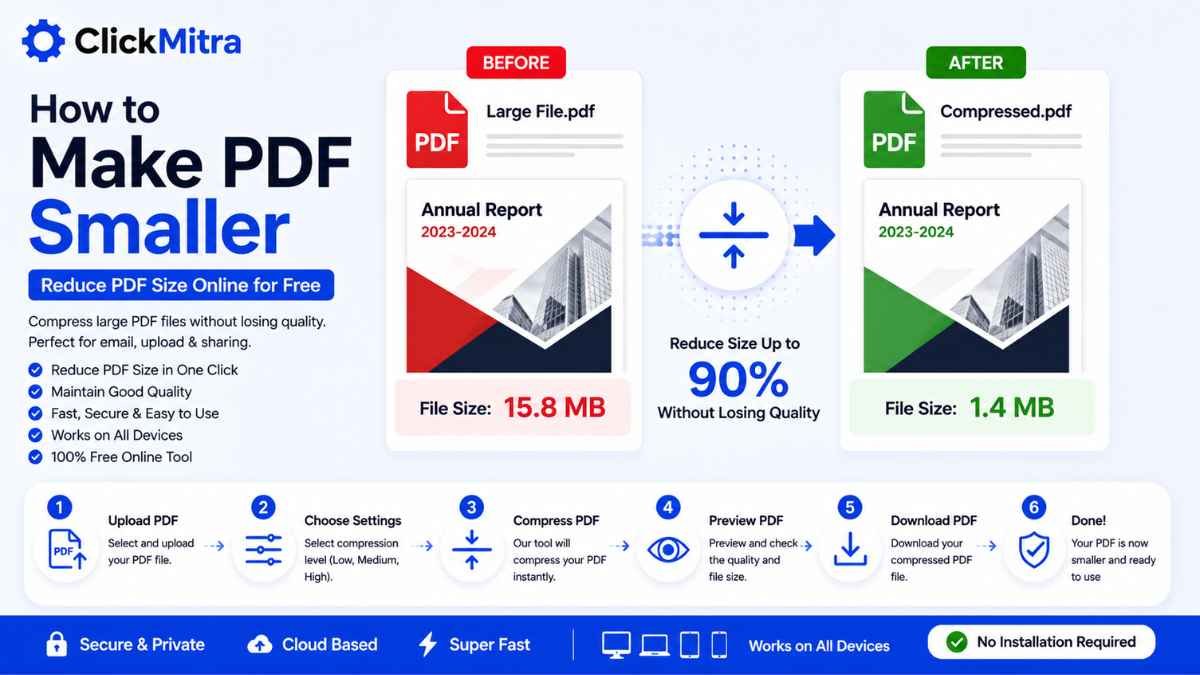
How to Make PDF Smaller Online
Learn how to make PDF smaller online. Compress large PDF files for email, website uploads and sharing while keeping your document readable and usable.
Large PDF files can be difficult to upload, email, share, or store. A PDF containing high-resolution images, scanned documents, or many pages can quickly become several megabytes in size.
If you're searching for How to Make PDF Smaller, the easiest solution is to use an online PDF compressor. It can reduce the file size while keeping the document readable and suitable for sharing or uploading.
In this guide, we'll explain how to make PDF smaller, why PDF files become large, how to reduce PDF size for email and websites, and how to maintain good document quality.
How to Make PDF Smaller Online
The simplest way to make PDF smaller is to compress it using an online PDF compression tool.
The basic process is:
- Open an online PDF compressor.
- Select the PDF you want to reduce.
- Upload the PDF.
- Start the compression process.
- Wait for the file to be processed.
- Download the smaller PDF.
- Open it and check the document.
You can do this directly from your browser without installing dedicated PDF software.
Why Are Some PDF Files So Large?
PDF file size can vary significantly depending on what's inside the document.
A PDF may become large because it contains:
- High-resolution photographs
- Scanned documents
- Large graphics
- Embedded fonts
- Many pages
- Uncompressed images
- Multiple attachments or other embedded content
A text-only PDF may be relatively small, while a scanned 50-page document containing high-resolution images can be much larger.
Understanding what's making the PDF large can help you choose the right way to reduce its size.
How to Make PDF Smaller Step by Step
1. Select Your PDF
First, find the PDF file you want to compress.
Keep a copy of the original document before compression, particularly if it contains important information.
2. Open a PDF Compressor
Open ClickMitra's PDF compression tool.
An online PDF compressor lets you make PDF smaller directly through your browser.
You don't need to install additional software for a basic compression task.
3. Upload Your PDF
Select your PDF from your computer, phone, or tablet.
The document will be uploaded to the tool for processing.
4. Compress the PDF
Start the compression process.
The tool processes the document and attempts to reduce unnecessary data so that the resulting PDF occupies less storage space.
5. Download the Smaller PDF
Once compression is complete, download the resulting PDF.
Open the file and check the pages, text, images, and formatting.
This is the basic process for how to make PDF smaller online.
How to Make PDF Smaller Without Losing Quality
PDF compression can sometimes affect image quality, particularly when the original document contains high-resolution photographs or scans.
To maintain good quality:
- Avoid unnecessarily aggressive compression.
- Check the text after compression.
- Look at images and graphics.
- Compare the compressed file with the original.
- Keep a copy of the original PDF.
For most everyday documents, moderate compression can provide a good balance between file size and quality.
How to Make PDF Smaller for Email
Email services often have attachment-size restrictions.
If your PDF is too large to attach, compressing it can make it easier to send.
For example:
Original PDF: 12 MB
Compressed PDF: 4 MB
The actual reduction depends on the contents of the document.
If you're trying to make PDF smaller for email, compress the document and then check whether the resulting file meets your email provider's attachment limit.
How to Make PDF Smaller for Uploading
Many websites have maximum file-size limits for uploads.
You might encounter this when submitting:
- Applications
- Forms
- Certificates
- Reports
- Invoices
- Business documents
- Educational assignments
- Scanned paperwork
If the website rejects your PDF because it is too large, compressing it can bring the file below the required limit.
Always check the final document before submitting it.
How to Make PDF Smaller on Mobile
You can also reduce PDF size using your smartphone.
An online PDF compressor can be accessed through a mobile browser.
The process is generally:
- Open the PDF compression tool.
- Select the PDF from your phone.
- Upload the file.
- Compress the PDF.
- Download the smaller version.
- Check the resulting document.
This makes it possible to make PDF smaller without needing a computer.
How to Make a Scanned PDF Smaller
Scanned PDFs can often be much larger than regular text-based PDFs.
This is because each scanned page may essentially contain a high-resolution image.
For example, a scanned document containing 30 pages may have a large file size even if there is relatively little text.
PDF compression can help reduce the size of these documents.
However, extremely strong compression can make small text or scanned details harder to read, so always inspect the final PDF.
How to Make PDF Smaller Without Software
You don't necessarily need Adobe Acrobat or another desktop application.
An online PDF compressor can handle the basic process through a web browser.
The workflow is simple:
Upload PDF → Compress → Download
This is useful when you only occasionally need to reduce a PDF and don't want to install additional software.
How to Make PDF Smaller for a Website
Large PDFs can be inconvenient for website visitors to download.
If you're publishing a PDF online, consider reducing unnecessary file size before uploading it.
This is especially useful for:
- E-books
- Product catalogs
- Brochures
- Reports
- Menus
- Company documents
- Downloadable guides
A smaller PDF generally takes less time and bandwidth to download.
PDF Compression vs Reducing PDF Pages
Compression and removing pages are two different approaches.
PDF compression reduces the amount of data stored within the document.
Removing unnecessary pages reduces the total number of pages in the document.
For example, if your PDF contains 50 pages but only 40 are required, removing the extra 10 pages will naturally reduce the file size.
If every page is necessary, compression is the more appropriate option.
How Much Can You Reduce a PDF?
There is no fixed percentage because every PDF is different.
A PDF containing large images may have significant compression potential.
A text-based PDF that's already optimized may only become slightly smaller.
For example:
10 MB → 3 MB
may be possible for one document, while another may only reduce from:
2 MB → 1.7 MB
The final result depends on the original PDF.
What Happens When You Compress a PDF?
During PDF compression, unnecessary or inefficient data may be reduced.
Depending on the compression method, this can include optimization of images and other elements within the document.
The objective is to create a smaller PDF while keeping the document usable.
For important documents, always compare the compressed file with the original.
Can You Make PDF Smaller Without Changing the Pages?
Yes.
Compression can reduce the file size without removing pages.
For example:
Original: 20 pages, 8 MB
Compressed: 20 pages, 3 MB
The page count remains the same.
The reduction comes from optimizing the data contained within the PDF.
Make PDF Smaller With ClickMitra
If your PDF is too large for an email, website upload, or online submission, ClickMitra's PDF compression tool can help reduce its size.
Upload your PDF, compress it, and download the resulting file.
If you're searching for How to Make PDF Smaller, an online PDF compressor provides a quick way to reduce the file size without requiring complicated software.
After compression, open the new PDF and check that all pages, text, images, and formatting appear correctly.
Tips for Reducing PDF File Size
Before sharing or uploading a large PDF, consider these tips:
- Compress the PDF.
- Remove unnecessary pages.
- Avoid unnecessarily high-resolution images.
- Keep the original document as a backup.
- Check the final file size.
- Open the compressed PDF before submitting it.
- Make sure text remains readable.
- Check important images and graphics.
These steps can help you create a more manageable PDF without unnecessarily sacrificing quality.
Frequently Asked Questions
How to Make PDF Smaller?
Upload the PDF to an online PDF compressor, start compression, and download the resulting smaller file. Check the document after compression.
How can I reduce PDF size online?
You can use an online PDF compression tool to reduce the amount of data stored in the document and create a smaller PDF.
Can I make PDF smaller without losing quality?
Yes, you can often reduce PDF size while maintaining good quality by using moderate compression. However, aggressive compression may affect image quality.
How do I make PDF smaller for email?
Compress the PDF using an online PDF compressor and check whether the resulting file is within your email provider's attachment limit.
Can I make PDF smaller on my phone?
Yes. You can use an online PDF compressor through your mobile browser and download the smaller PDF directly to your phone.
Why is my PDF file so large?
Large images, scanned pages, high-resolution graphics, embedded fonts, and a large number of pages can all contribute to PDF file size.
Can I make a scanned PDF smaller?
Yes. Scanned PDFs can often benefit from compression, although excessive compression may reduce the readability of scanned text and images.
Does PDF compression remove pages?
Normally, compression does not remove pages. It reduces the amount of data stored in the document.
What if my PDF is still too large after compression?
You can check whether the document contains unnecessary pages or very large images. Removing unnecessary content or optimizing the source images may provide additional reduction.
Conclusion
Large PDF files can make sharing, uploading, emailing, and storing documents more difficult. Compressing the document is one of the simplest ways to reduce its size while keeping the pages intact.
If you're searching for How to Make PDF Smaller, an online PDF compressor can help you create a more manageable file directly from your browser.
Upload the document, compress it, download the smaller PDF, and check the final file before sharing or submitting it.